Blog/
Why Automatic Model Orchestration Matters: Right Model, Right Task, Lower Cost
By Vladimir Krstic, Founder at Intrascope
Most teams still pick one default model and use it for everything. A translation. A strategy memo. A code review. A quick email rewrite. Same model. Same price tier. Same waste.
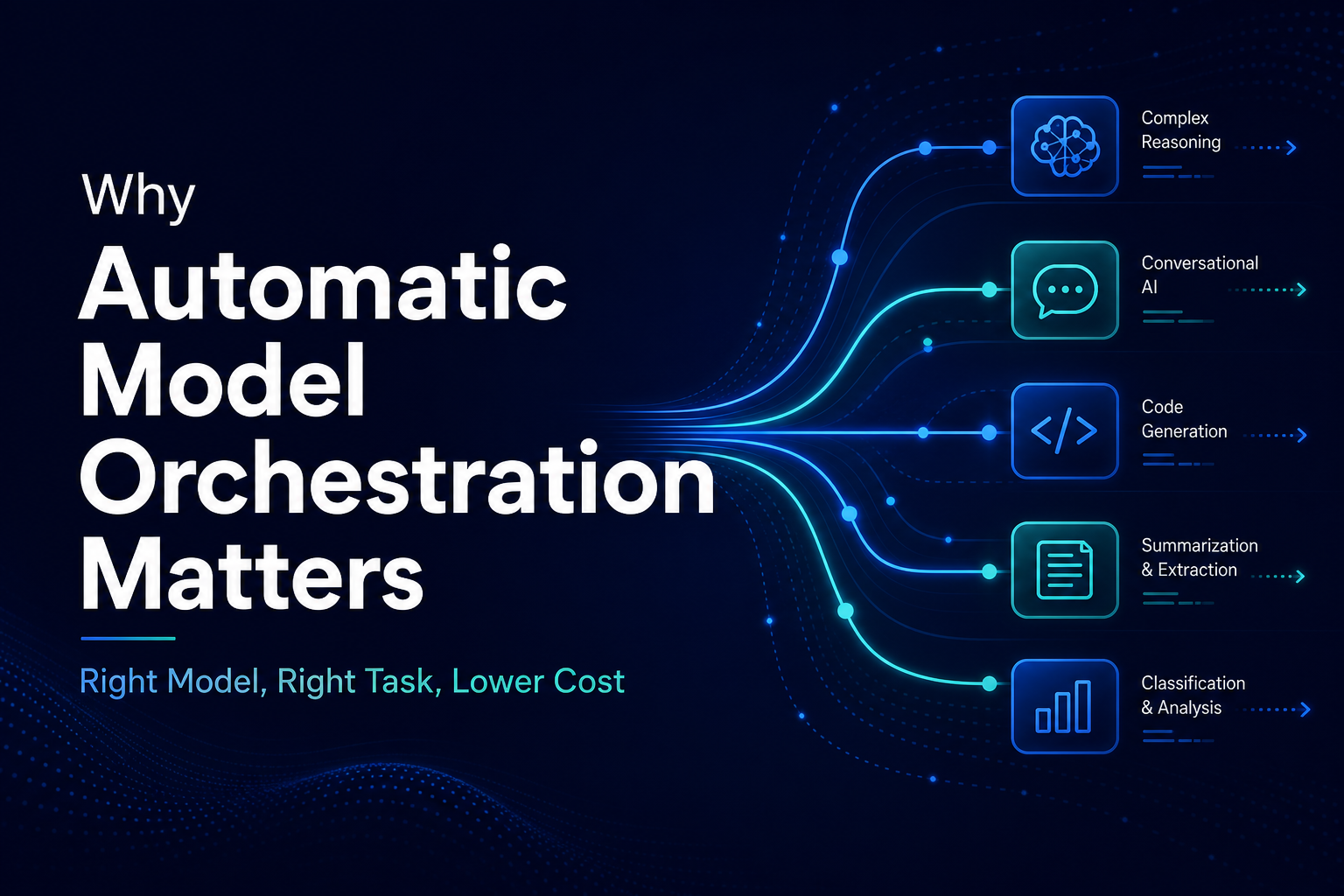
Automatic model orchestration fixes that. It reads the request, understands what kind of work it is, and routes it to the model that fits best. Not the most expensive model. The right model.
This is why automatic orchestration was one of our earliest priorities at Intrascope. Without it, multi-model access is just a dropdown menu. With it, AI becomes an efficient system.
Why we shipped orchestration early
When we built Intrascope, we saw the same pattern in every team: people had access to multiple strong models, but they always defaulted to the one they knew. Usually the premium one.
That created two problems immediately.
- Cost exploded — premium models ran tasks that cheaper models handle perfectly well
- Quality did not improve — paying more did not help for simple formatting, translation, or summarization
Manual model selection does not scale. Non-technical users will not study model benchmarks before every prompt. Teams needed the system to decide automatically, with high accuracy, based on the query itself.
So orchestration was not a later add-on. It was core infrastructure from the start.
Every model is good at something
No single model wins every task. That is not a limitation. It is the reality of how LLMs are built and trained.
| Task type | What works best | Why |
|---|---|---|
| Translation and language conversion | Fast, efficient mid-tier models | Pattern-matching task with predictable structure |
| Summaries and bullet extraction | Lightweight models | Short output, lower reasoning depth needed |
| Email rewrites and tone adjustments | Mid-tier models | Style transfer without deep analysis |
| First drafts and brainstorming | Fast or mid-tier models | Volume and speed matter more than precision |
| Complex reasoning and strategy | Premium models | Multi-step logic and nuance |
| Code architecture and debugging | Specialized coding models | Trained for structured technical output |
| Long document analysis | Models with strong context windows | Coherence across large inputs |
A multi AI workspace without orchestration gives you options. Orchestration gives you outcomes. Read more in our guide to multi AI workspace for teams.
Weaker models are often enough
This is the insight most teams miss. They assume a better answer always requires a more expensive model. In practice, a large share of daily work is structurally simple.
Examples where premium models are overkill:
- Translating a paragraph from English to Serbian
- Turning meeting notes into bullet points
- Reformatting text into a table or checklist
- Shortening a message without changing meaning
- Generating subject lines or social post variants
- Basic categorization or tagging of content
These tasks do not need the deepest reasoning engine on the market. They need speed, consistency, and low cost. A mid-tier or lightweight model often produces the same usable result at a fraction of the token price.
The waste happens when teams run all of this through GPT-4, Claude Opus, or another premium default because it is the only model they know how to pick.
How automatic orchestration works in Intrascope
When a user sends a request, Intrascope analyzes the query to determine what kind of task it represents. The goal is to match the request to the model most likely to deliver the best result at the lowest reasonable cost.
Query understanding, not guesswork
Orchestration looks at signals in the prompt: task type, complexity, expected output length, language, technical depth, and whether the request needs reasoning, creativity, or simple transformation. Based on that, the system selects a model with high accuracy.
Premium models reserved for premium work
A translation should not burn Opus tokens. A formatting task should not trigger a reasoning model. A quick summary should not cost the same as a strategic analysis. Orchestration keeps premium models for work that actually benefits from them.
Transparent routing
Teams see which model handled each request. Usage analytics break down spend by model, user, and project. Admins keep control through model permissions and limits while users stay focused on the task, not the toolchain.
Real example: one task, four steps, smart routing
Consider a common workflow: draft, refine, verify, summarize.
- Draft — lightweight model generates the first version quickly and cheaply
- Refine — mid-tier model improves clarity and structure
- Verify — premium model checks reasoning, facts, or strategic logic only if needed
- Summarize — lightweight model produces the final short version
In a single-model setup, every step runs on the same expensive engine. With orchestration, roughly 75% of tokens can run on cheaper models while quality on the final output stays high. We showed the full cost math in our ChatGPT Go alternative cost and orchestration breakdown.
What teams gain beyond cost savings
1. Faster responses on simple tasks
Lightweight models often respond faster. Translation, formatting, and summaries feel snappier when they are not queued behind heavyweight reasoning.
2. Better model fit per department
Marketing, engineering, support, and leadership all use AI differently. Orchestration adapts per request instead of forcing one model policy on every workflow.
3. Less decision fatigue
Users write the prompt. The system picks the model. Teams stop debating which provider to open for every small task.
4. Predictable scaling
As more people adopt AI, orchestration prevents usage from growing linearly with premium model costs. Light users stay light. Heavy users get depth where it counts.
For the broader cost picture, see AI cost optimization for teams and why API access is safer and cheaper than subscriptions.
Manual model picking vs automatic orchestration
| Area | Manual selection | Automatic orchestration |
|---|---|---|
| User effort | Choose model before every task | Write the prompt, system routes automatically |
| Cost efficiency | Premium model used by default | Right model per task type |
| Consistency | Varies by person and habit | Systematic routing logic |
| Non-technical adoption | Low — too many choices | High — no model expertise required |
| Premium model usage | Often wasted on simple tasks | Reserved for complex work |
| Analytics | Hard to spot misuse | Clear visibility by model and task |
Why this matters for enterprises
Enterprises cannot ask every employee to become a model expert. They need AI that works reliably across hundreds of small daily tasks without silently burning budget on translations, rewrites, and summaries.
Automatic orchestration is how you get there. It connects the multi AI models strategy to everyday usage without adding friction.
For security and governance context, see why enterprises need Intrascope.
Conclusion
Every model is good at something. Many daily tasks do not need the strongest model available. The real advantage is routing each request to the right intelligence automatically, with high accuracy, so premium models stop doing cheap work.
That is why automatic model orchestration was a priority for us from day one. It turns multi-model access into real efficiency: lower cost, faster simple tasks, and better results where depth actually matters.
Try Intrascope free for 7 days. No credit card required. Let orchestration pick the right model for every request.
Intrascope for teams
Give your team one shared AI workspace instead of scattered accounts
Centralize model access, projects, manifests, and usage visibility. Start with a free trial or book a short walkthrough with our team.
7-day free trial · No credit card required
Closer to this topic: give your team access to more than one model.
Related articles